MCP and API
Ask Your Shopify Experiments Anything with MCP and API
Ask an AI assistant what your experiments are doing and get an answer from live data. Or pull the same numbers straight into the reports your team already reads. Both are read-only, and both take minutes to set up.
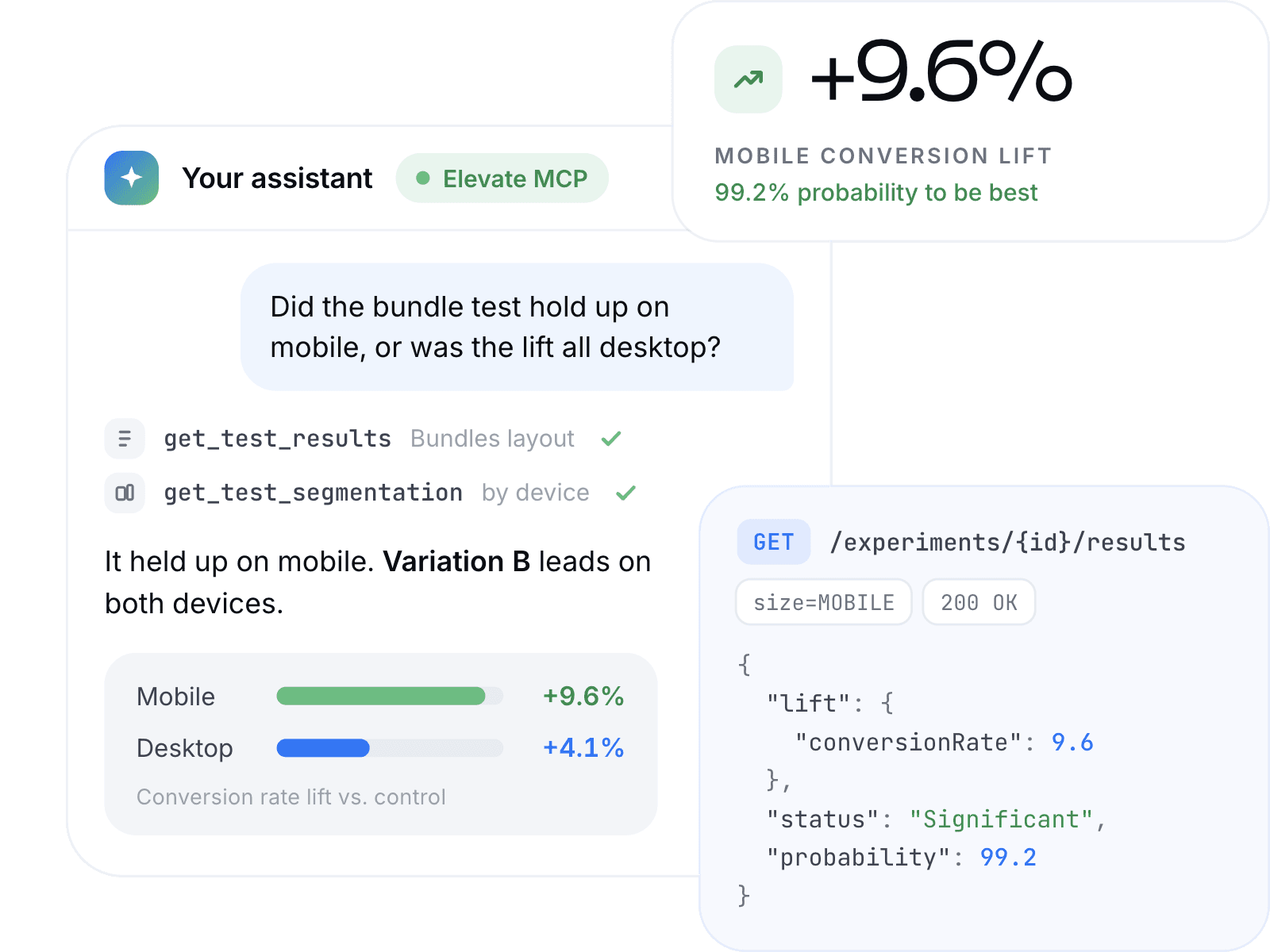
Ask Your Assistant Instead of Reading Reports
Connect Elevate to Claude Desktop, Claude Code or Cursor and your assistant queries your store directly. No exports, no pasting numbers into a chat, no screenshots of a dashboard.
The Monday morning check that used to mean opening six reports becomes one question. The answer arrives with the numbers behind it, so you can act on it.
Documentation: Set up MCP in Settings(opens in new tab)
Questions it answers from live data:
- Which experiments are running right now, and are any of them close to a winner?
- Did the bundle test hold up on mobile, or was the lift all desktop?
- Show me every price test from the last quarter and what each did to profit per visitor.
- What's the conversion rate on the control over the last 14 days, by week?
Send Your Results Where Your Team Already Works
The API returns the same experiment data the dashboard shows, as JSON, over a single GET request.
Client Reports That Build Themselves
Every test across a portfolio in one sheet, refreshed on a schedule. No screenshots, no retyping.
A Results Log That Stays Current
Finished tests land in Notion, Airtable or your warehouse without anyone maintaining them.
Alerts Worth Acting On
Watch for significance or a lift crossing a threshold, and post it to Slack.
Your Own View of the Data
Blend results with ad spend, margin or cohort data in the tool you already use.
Documentation: Read the API reference(opens in new tab)
What You Can Pull from Your Store
- Experiments
- The full list, with status, configuration and what each variation changed
- Results
- Every metric per variation, with lift, winner and the statistics behind the call
- Over time
- How each metric moved day by day, so you can see when a result settled
- Segments
- Performance broken down by visitor segment
- Store-wide
- Traffic and conversion across the whole store, not just inside a test
- Custom events
- The goals you defined yourself, alongside the standard metrics
Every results endpoint takes the same filters and date window. Learn the parameters once and they work everywhere.
Nothing Can Change Your Running Tests
- Nothing you connect can change anything. There is no endpoint and no tool that writes, so an assistant cannot start, pause or end an experiment, shift traffic allocation or edit a setting — even if you ask it to.
- It has no access to your Shopify admin, your customer records or your storefront code, and no effect on what visitors see.
- One key per store, shared across your team and every client you connect. Regenerate it when someone leaves, or revoke it to switch the connection off entirely.
Set Up MCP and the API in Minutes
Generate your API key in Settings → MCP & API.
The same key works everywhere.
Claude Desktop.
Download the extension, double-click, paste your key.
Claude Code and Cursor.
Connect to the remote server. Nothing to install, one line of config.
API.
Bearer token on every request. Every endpoint is a GET and returns JSON, with an OpenAPI 3.1 schema if you want to generate a client.
No developer needed for the Claude Desktop path. Editing a config file is routine if you already work in Claude Code or Cursor.
Common Questions About MCP and API
Get Started with MCP and API
Read-only. No developer required. Set up in minutes.